AI Project Coordinator · Meeting Records

Run the meeting.
SiteWright builds the record.

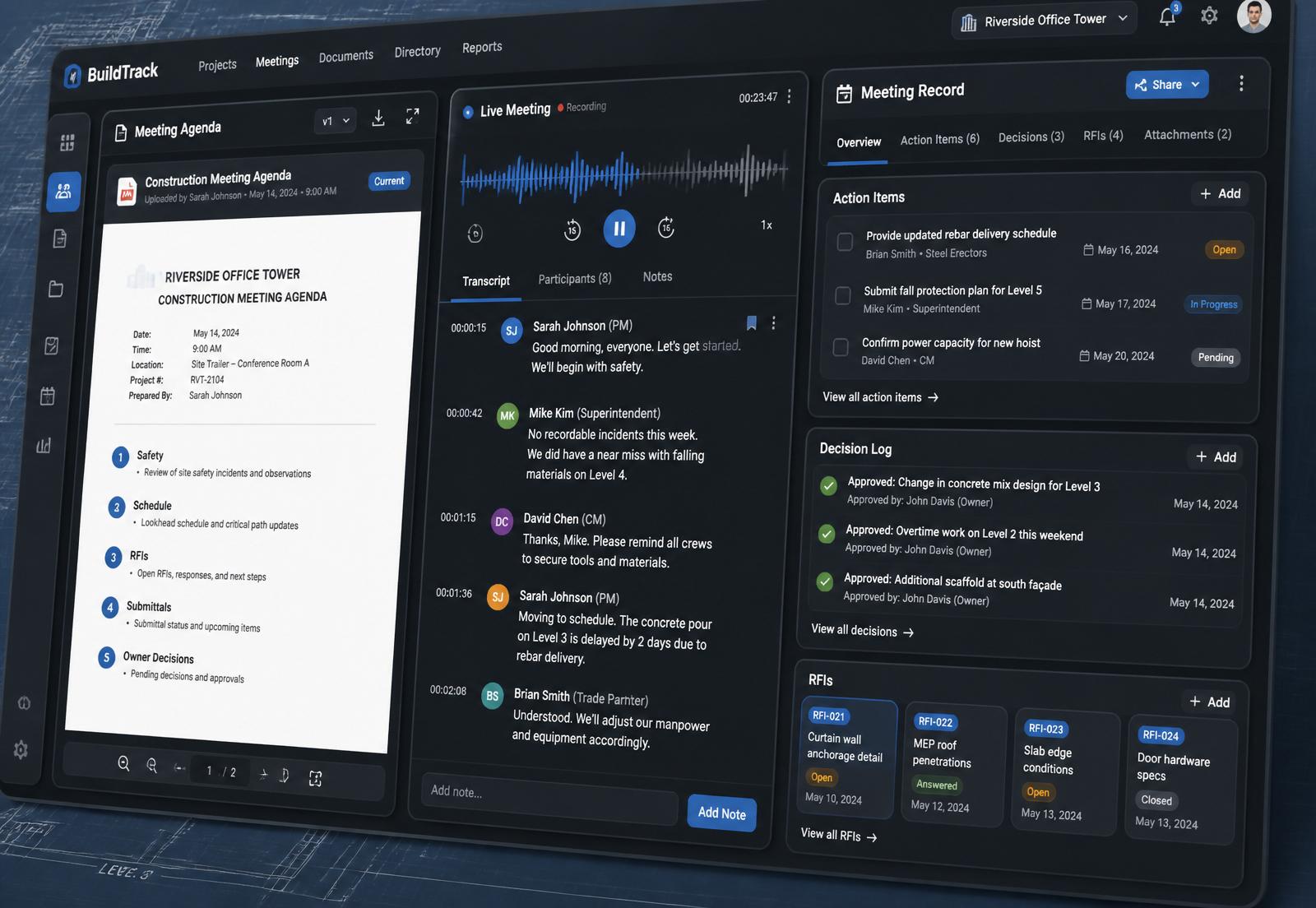
Upload your agenda, connect your calendar, and let your AI Project Coordinator organize the meeting into decisions, action items, RFIs, submittals, constraints, schedule impacts, and follow-ups — while you focus on running the job.
Host-controlled recording
Sensitive Meeting Mode
AI clearly disclosed
SiteWright product screenshot: agenda, live transcript, and organized meeting record side by side
The problem

Construction meetings are where decisions get made — and lost.

Generic AI notetakers transcribe first and summarize later. That's not how construction runs. Your project needs a coordinator, not a summarizer.

Scattered notes
Three sets of notes and none of them match.
Forgotten decisions
"Wait — did we decide that last week?"
Unclear ownership
Action items with no owner, no due date.
Undocumented schedule impacts
Slips discussed but never captured.
Missed cost exposure
PCO conversations that never make the log.
Weak follow-up
The same issues surface meeting after meeting.
How it works

Agenda first. Always.

  1. 01
    Upload the agenda
    PDF, DOCX, XLSX, TXT, or paste. SiteWright parses it into editable sections.
  2. 02
    Connect your calendar
    Google, Outlook, Apple, or manual. Auto-detects meeting type.
  3. 03
    Let SiteWright listen
    Live capture with clear participant notice. Fills notes under the right agenda item.
  4. 04
    Review the Clarification Queue
    One place to resolve anything the AI wasn't sure about.
  5. 05
    Export the finished record
    PDF, DOCX, email draft, or push to your project tools.
Built for construction

Your very real project assistant, sitting beside you in every meeting.

SiteWright understands RFIs, submittals, ASIs, PRs, CCDs, change orders, lead times, trade stacking, phasing, commissioning, and punch — the language of your job.

Capture, structured

Agenda Upload
Parse PDF/DOCX/XLSX/TXT into editable sections with confidence scores.
Live Meeting Capture
Browser microphone, host-controlled, transparent to participants.
Smart Section Matching
Notes land under the correct agenda item — automatically.
Clarification Queue
The AI asks when it's not sure. No silent guesses.

The project record you actually need

Action Item Tracker
Owner, company, due date, aging — across every meeting.
Decision Log
Timestamped, sourced from transcript, lockable when final.
RFI & Submittal Trackers
Detected during discussion, confirmed by you.
Constraint Log
Blockers with responsible party and needed-by date.
Schedule Impacts
Delays captured with critical-path flags.
Cost Exposure
PCO conversations tagged for follow-through.

Follow-through, not just notes

Follow-Up Email Builder
Professional recap with decisions, actions, RFIs, and next steps.
Project Meeting Memory
"Last meeting Buss Mechanical was assigned the 5-inch pipe adjustment. Resolved?"
Export & Push
PDF, DOCX, email, Google Docs, OneDrive, and project tools.
Meeting Templates
OAC, subcontractor coord, pull-plan, owner update, closeout, and more.
Trust & transparency

AI in the room, on your terms.

SiteWright clearly discloses that AI is being used. You control what's captured, who sees it, and how long it's kept.

Clear participant notice
Everyone knows AI is on before we start.
Host-controlled recording
Only the host can start and stop capture.
Sensitive Meeting Mode
One switch pauses transcription and storage.
Retention controls
Set retention windows. Delete meeting data anytime.

Build better project records.

Upload the agenda. Run the meeting. Walk out with decisions, action items, RFIs, submittals, constraints, and follow-ups already organized.